
Rubric
One, shared space for course information – made by professors, made for students.
Here’s the problem :
Choosing electives shouldn’t be guesswork.
Every semester, course registration becomes a time-consuming period for students and professors alike. As students ourselves, my team found finding good electives harder than it needed to be, and our peers thought so too.
We speculated, there may be a disconnect between the people who send course information (instructors) and the people who receive it (students). Students fill the gap with slower workarounds, and at the end of each term they often end up dissatisfied.
Professors also may feel troubled when students end up dropping their class after a few days into the semester.
Mapping it out.
We needed to first identify the channels and devices consisting the communication ecosystem, along with the people involved in the interactions.
We referred to the article on the definition of Channels, Devices and Touchpoints, established by the Nielsen Norman Group, and used their terminology to demonstrate how we were to structure the system we were investigating.
The Larger Ecosystem.
For us to delve deeper into the fundamental causes of this problem, we needed to look past the surface-level occurrences and try to see if there were any repeating patterns in the participants’ behaviors. Thus we could start to deduce what origin fueled these patterns through people’s beliefs or mindsets.
Using the iceberg model, we imagined how a student at our school might struggle with learning about and enrolling in courses, and traced backwards to figure out if there were any underlying root causes.
Mel, the student, struggles to gather course information.
Each semester, the advisor turns survey answers into a spreadsheet. Students look things up on third-party sites, and some ‘test drive’ classes before withdrawing.
Class information is scattered across many different platforms, with no single source.
Mel doesn’t trust SIO because school sites aren’t transparent, and professors don’t realize how much complete course information shapes enrollment.
Who we talked to :
Everyone holds a piece of the picture.
We interviewed the students who look for course information, and the professors and advisor who publish it.
Stakeholder interviews.
We asked each of them where course information comes from, and where it falls short.
- 3Students
- 2Professors
- 1Academic advisor
What we heard.
We sorted our notes on a whiteboard and grouped what kept coming up.
- 01
More than a description.
Students want to know the workload and who teaches a class, not only what it covers.
- 02
Low trust.
Students “vibe-check” classes in person, then drop the ones that disappoint.
- 03
Peers fill the gap.
Students rely on friends and Reddit for first-hand reviews.
- 04
Workarounds on both sides.
Some professors make their own course resources.
- 05
Syllabi change.
Some classes end up quite different from the posted syllabus.
How might we…

help students make confident, informed decisions about course registration?
&

help professors feel motivated to promote their courses?
Then we framed it :
One place, for both sides.
We turned what we learned into a hypothesis we could test, and designed from there.
- If
SIO kept all course information in one place, with course search beside the timetable and a space where instructors build their own class pages,
- Then
students could make informed choices from official sources, and professors could manage class admin from that same place,
- Because
complete, consistent information earns students’ trust. Professors get a reason to take part, since one page saves them other work and makes enrollment easier to predict.
From whiteboard to wireframes.
Journey maps for students and professors set the flow. In the wireframes, the timetable sits at the center, and the tools for finding courses sit around it.
Visual identity.
The interface carries a lot of text, so the palette stays calm, with one clear color for each course on the timetable.


Logo and characters.
The logo’s bars carry the five course colors. I also drew the characters for our slides and video, giving each more individuality after team feedback.

The result :
The stress-free course registration tool.
Professors write their course pages once, and students read them right next to their schedule.
One shared space.
Course information used to be split across five channels.


Key features.
Each feature answers something we heard in interviews or critique.
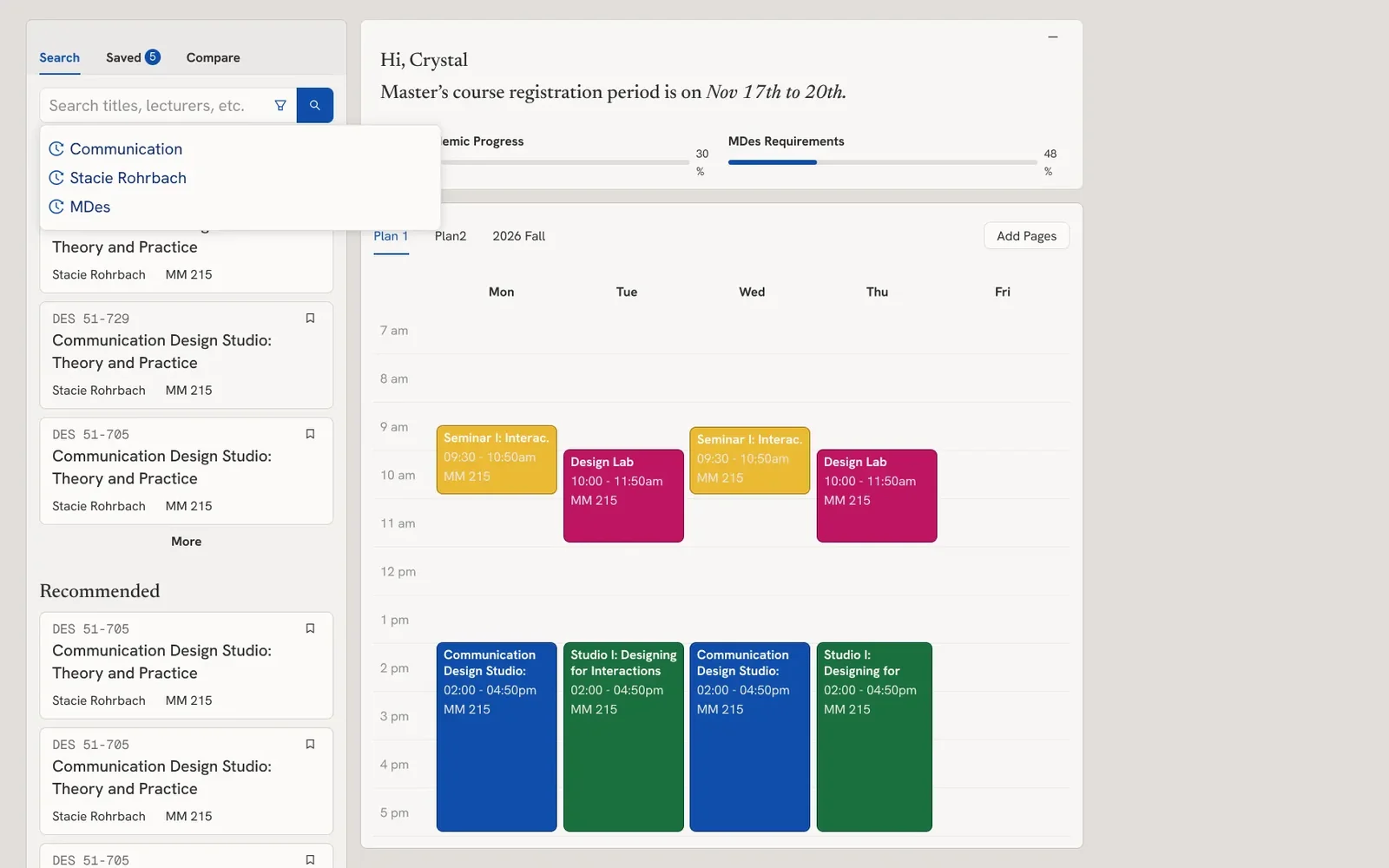
- 01 · Plan while you search
Search beside the timetable.
Search sits in the left panel, so students see where each course fits in their week before adding it.
From critique“See all graduate requirements in a single platform, and also simultaneously plan the upcoming class schedule as a time table.”
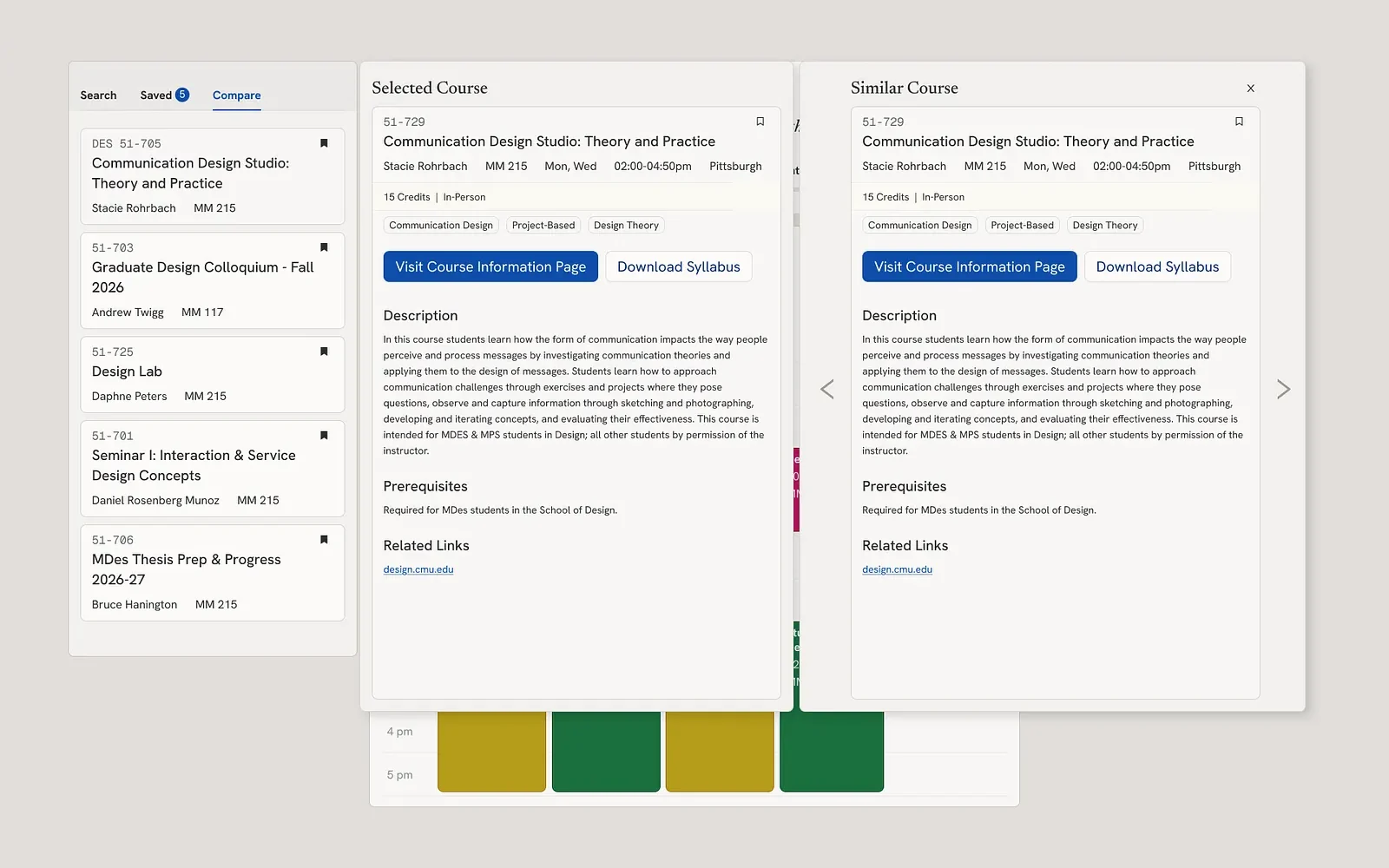
- 02 · Narrow it down
Save and compare.
Students can save courses for later, and compare similar or overlapping ones side by side.
From critique“I wish I could put together and compare similar courses, even from different departments, so I can choose with more confidence.”
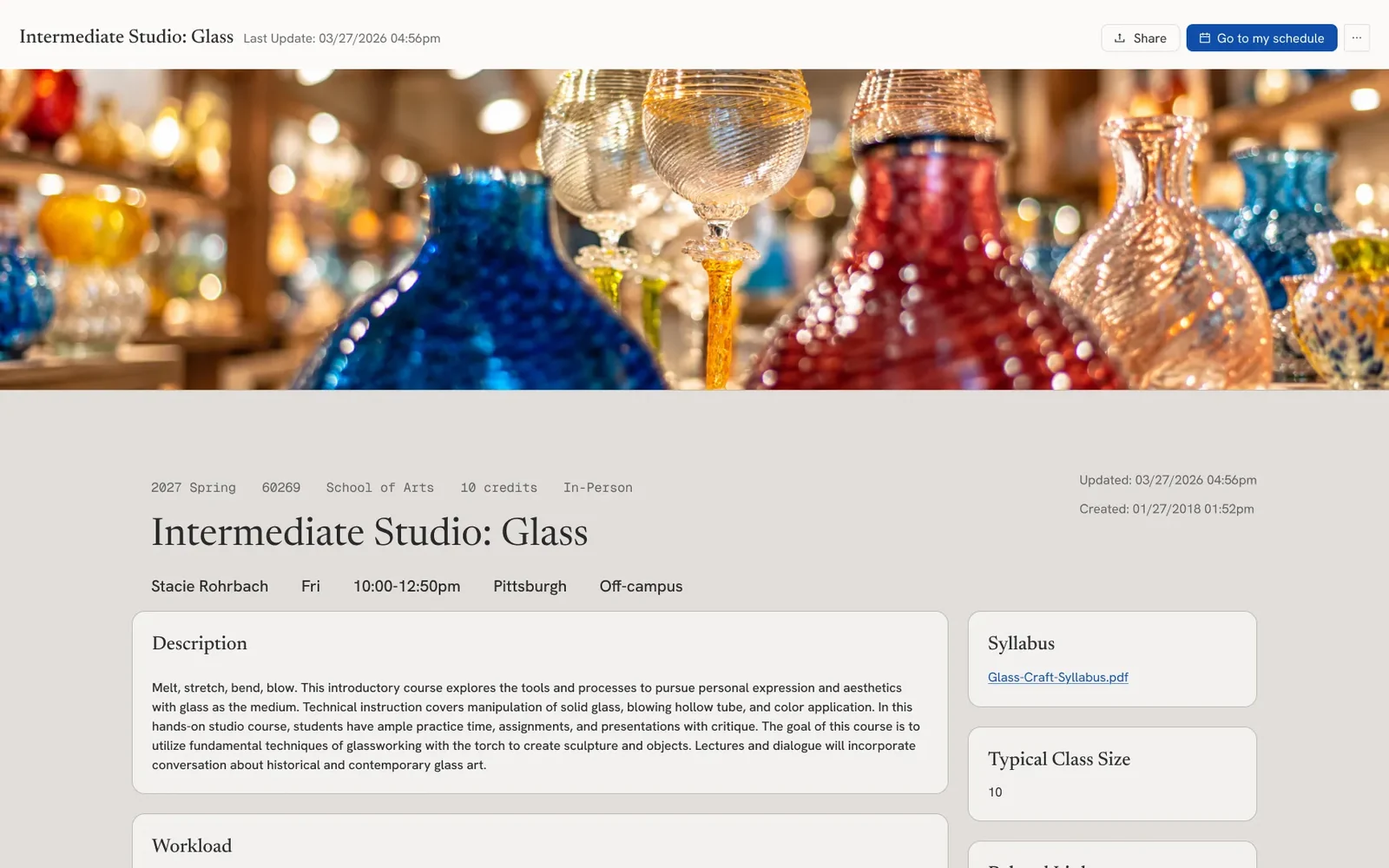
- 03 · Course page
Everything about a class, on one page.
The professor fills in one page per course, from the syllabus and workload to comments from past students.
- 04 · For professors
One place to edit and share.
Professors add the course details and syllabus in an editor, and can change how their page looks.
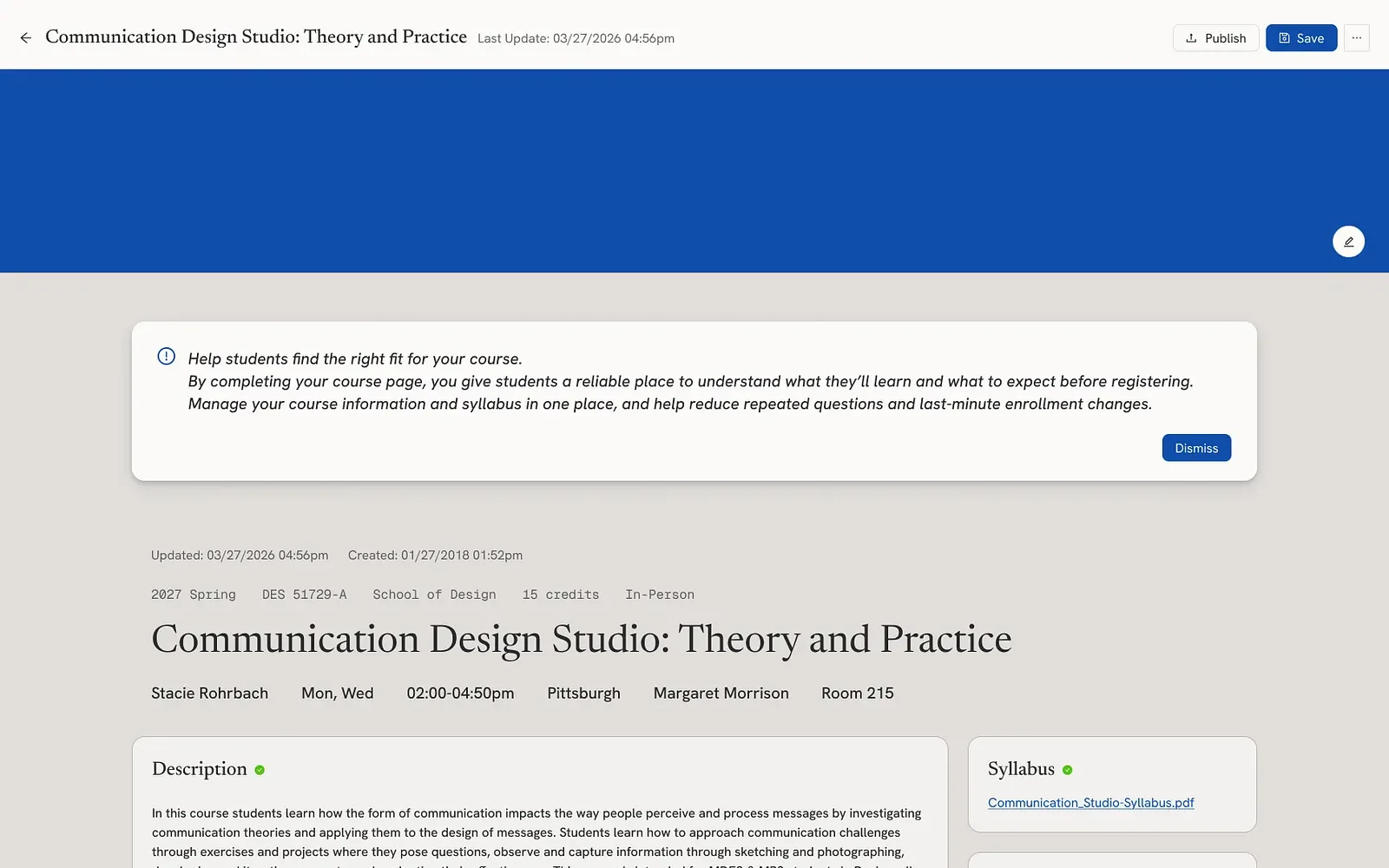
Testing with a professor.
Our instructor reviewed the prototype as a professor would, and her notes went straight into the editor.
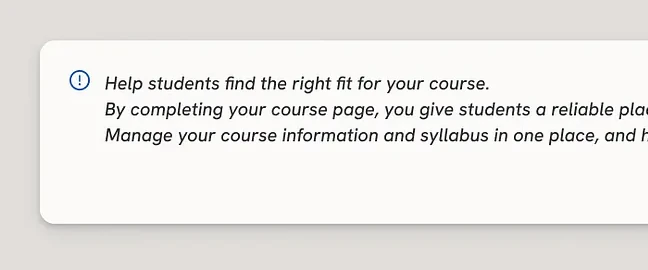
“Try showing a sentence somewhere on the screen: the value of the professors doing this, why it helps students.”
A note at the top of the editor now says why a complete page helps.
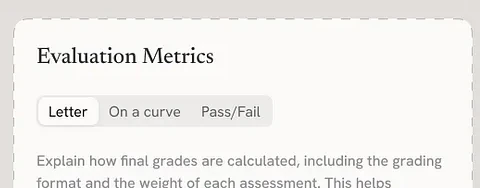
“Instead of Assessment Style, you should call it Evaluation Metrics or Evaluation Approach.”
We renamed the field to Evaluation Metrics.
Prototype build.
We used AI for repetitive work, like suggestions and small prototyping tasks. The design decisions were made by the three of us.
- 01
Design in Figma.
We built every frame the prototype needed.
- 02
Prototype with Claude.
Connected to our Figma files through an MCP server, it turned the frames into working code.
- 03
Publish on GitHub.
The prototype is hosted as a public link anyone can try.
Looking back :
The hardest part was the problem statement.
Articulating the user’s problem in a single, clear statement was our biggest lesson. We started with a rough idea, and turning it into clear language took more synthesis than we expected.
Final critique.
What we heard at the final presentation, and would carry into the next round.
- 01
Not a jack of all trades.
Our TA warned against a solution that seems to solve everyone’s problem but doesn’t.
- 02
Keep the page consistent.
Professors would likely prefer a consistent course page to rearranging its blocks.
- 03
A clearer name.
“Rubric” is catchy, but in class it could be confused with an actual rubric.
Next steps.
Where we would take Rubric from here.
- Test with students and professors to learn which information and features matter most to each.
- Bring administrators and their workflow into the system.
- Grow from one school to every CMU college and department, and perhaps other universities.
Process documentation.
The full story, week by week, on Medium.
